
Document Organiser
Documents that organise themselves.
Automatically name, tag, organise documents and find anything, with Apple Intelligence.
- On-device AI
- Encrypted
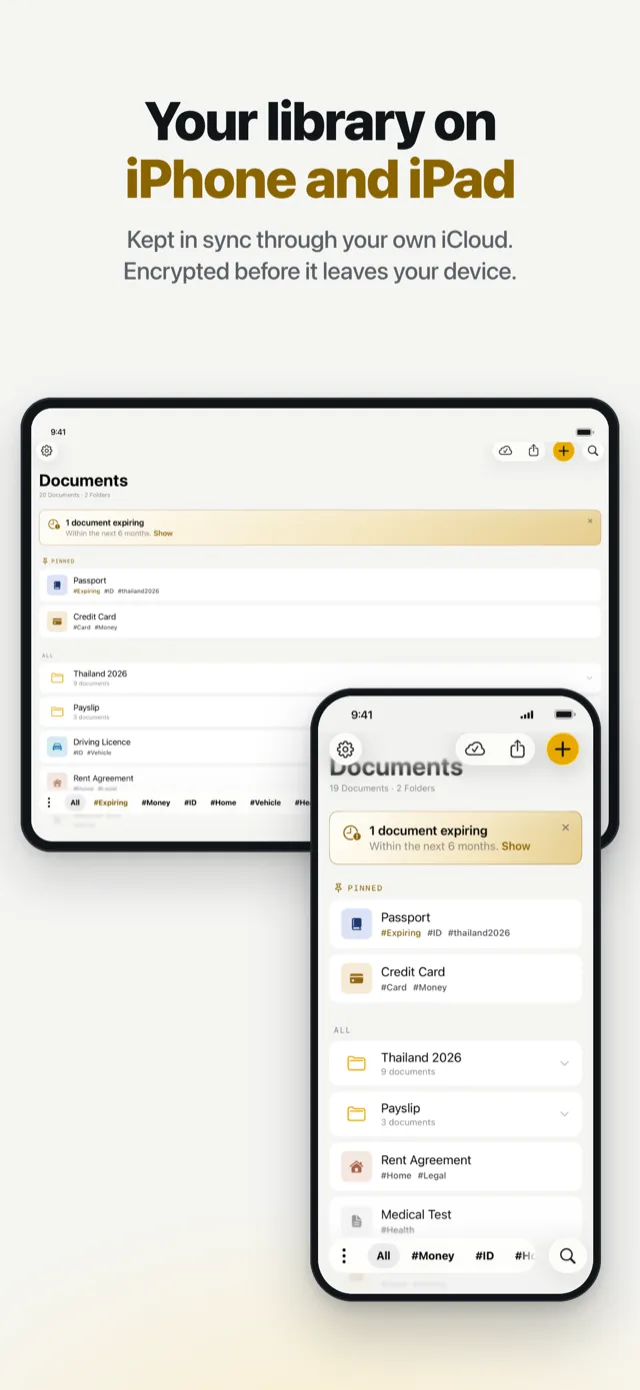
- iPhone and iPad
Names, hashtags, folders
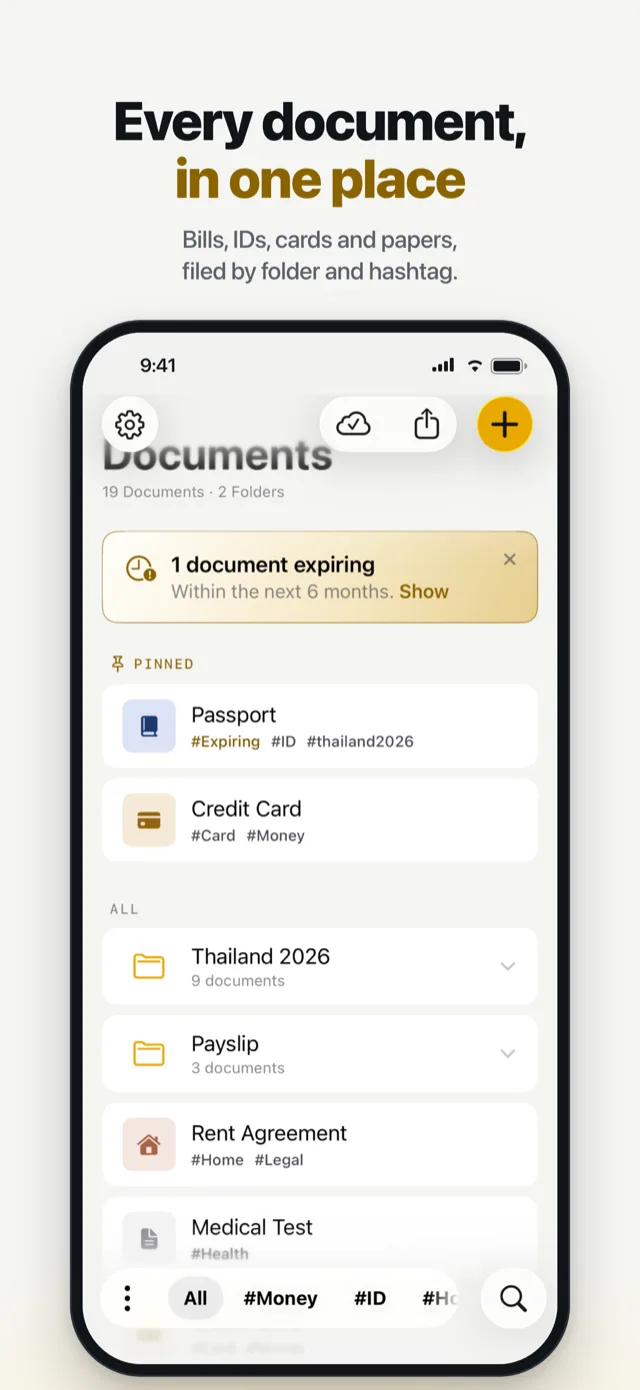
Your documents, understood by AI.
No manual filing, and no typing out details. Add a document and the app does the organising.
- Names suggested. “Electricity Bill — May 26”, “Passport”, read off the page.
- Hashtags suggested. #ID, #Home, #Health, from what the document is. Keep them, or use your own.
- Folders suggested. A bill is offered a place beside last month’s. Filed only if you say yes.
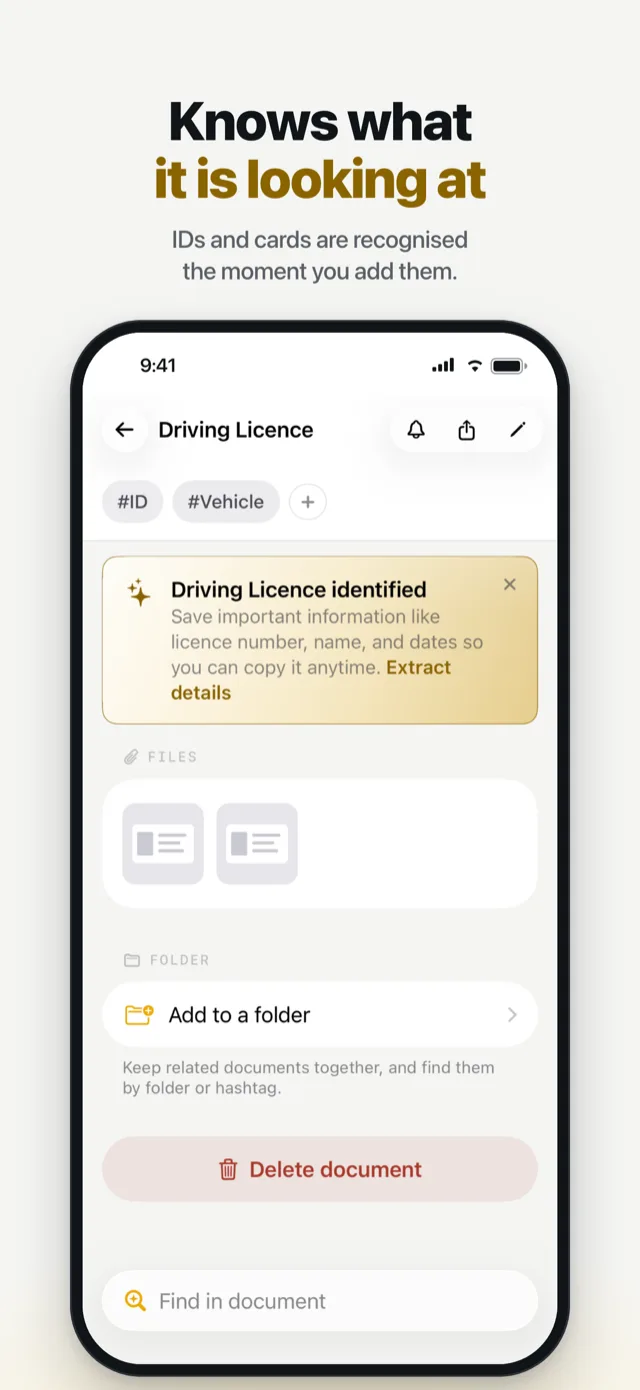
- Recognised on arrival. A passport, a card or a licence is spotted, and its details offered.
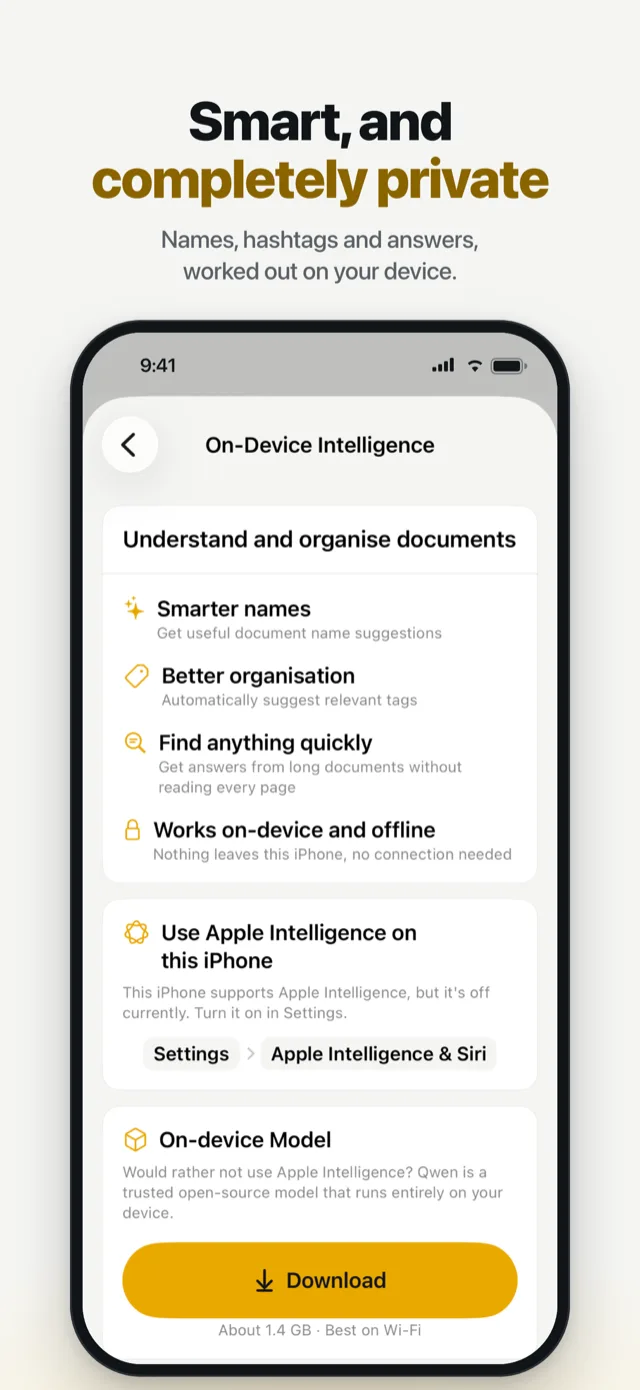
- Apple Intelligence where you have it. On other devices, an optional reader that runs offline.
Search
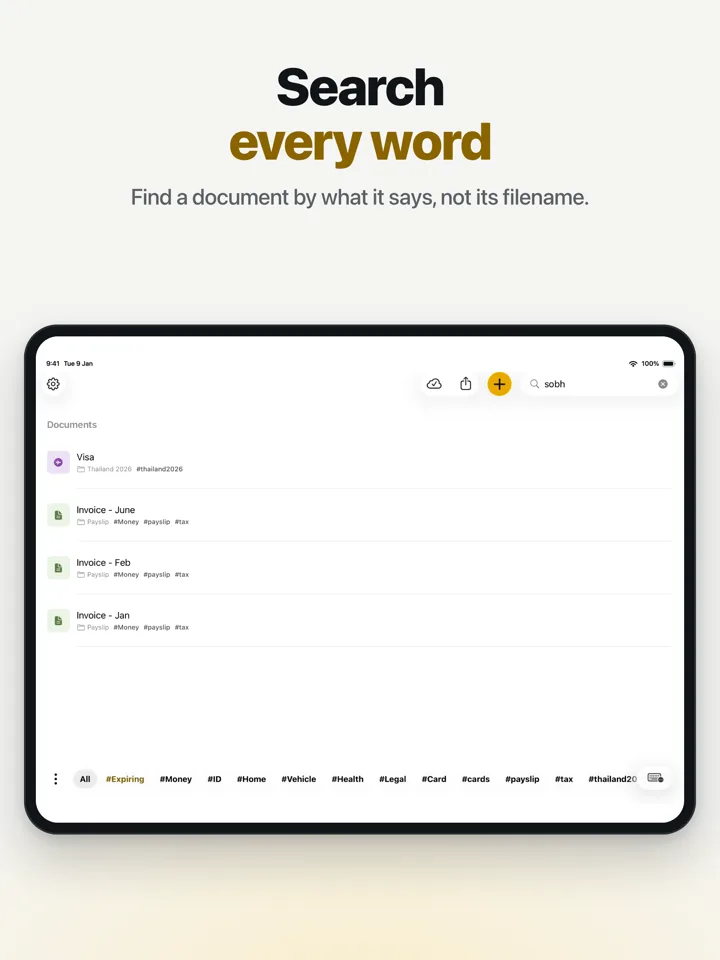
Remember what it says. Not the filename.
Every word on every page is searchable, across all your documents — including scans and photos of paper.
- A name or an address. On a lease, a letter or a form.
- A policy or reference number. Without opening ten documents to find it.
- Last year’s bill or an old agreement. Even one you have not opened in months.
- By hashtag. Tap #Money or #Travel to see just those documents.
When you need a detail
Your important details, ready when you need them.
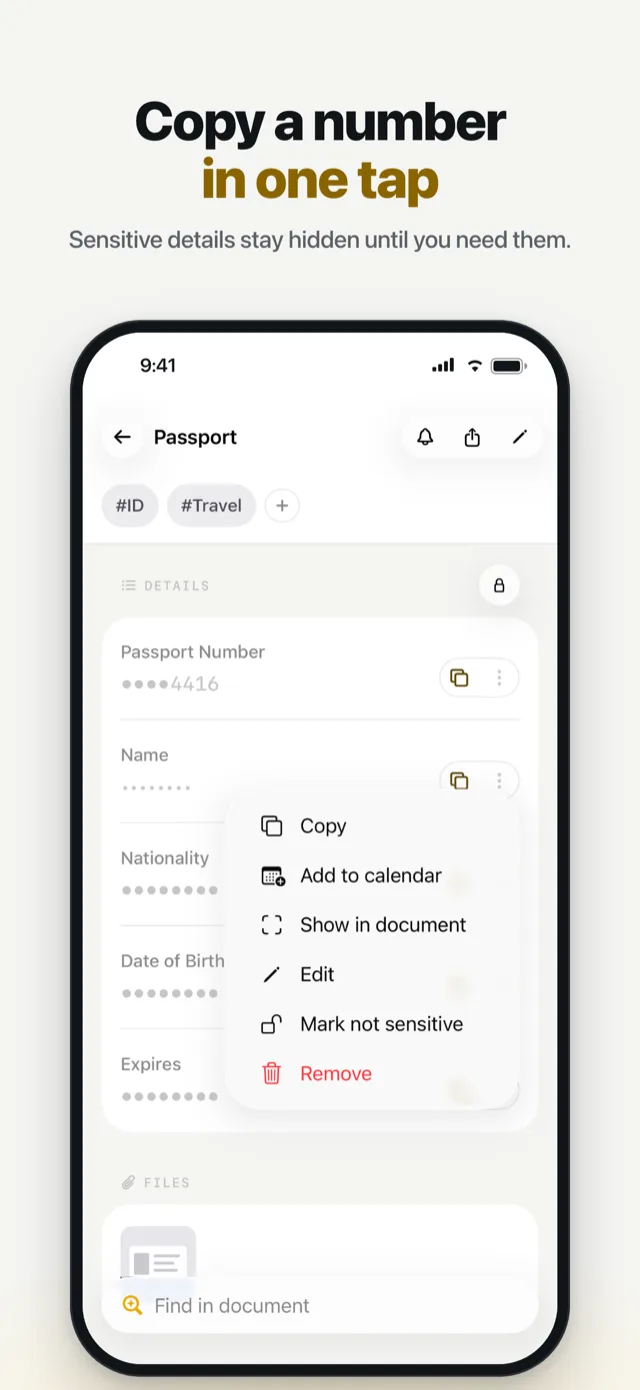
- Read for you. Numbers, names and dates come off the page on their own.
- Hidden until you ask. Sensitive details stay masked. Face ID reveals one.
- Copy and go. A copied detail clears from the clipboard by itself.
- See where it came from. Every detail points to its line on the page.
- Know before it expires. Expiring documents are marked. Add a reminder in one tap.
Reads passports and payment cards, and national IDs from India, the United States, the United Kingdom, Australia, New Zealand and South Africa.
Reading and answering
Ask your documents.
- In your own words. When does this lease end? What is the policy number?
- With its source. The answer shows the line it came from.
- Anything in. Camera, Photos, Files, or the share sheet. Import any file type. Unsupported files are kept unchanged.
- Your documents are read and understood on your device. Never uploaded to our servers. Apple Intelligence, or the app’s own reader, offline.
Made for everyday life
One place for everything important.
Identity
Passports, driving licences, national IDs and visas.
Money
Bank and payment cards, payslips, tax papers and statements.
Home
Rental agreements, property papers, utility bills and warranties.
Health and insurance
Prescriptions, test results and insurance policies.
Work and study
Certificates, offer letters, employment papers and qualifications.
Travel
Tickets, bookings, visas and arrival cards, in a folder for the trip.
Privacy
Your documents are yours. Not ours.
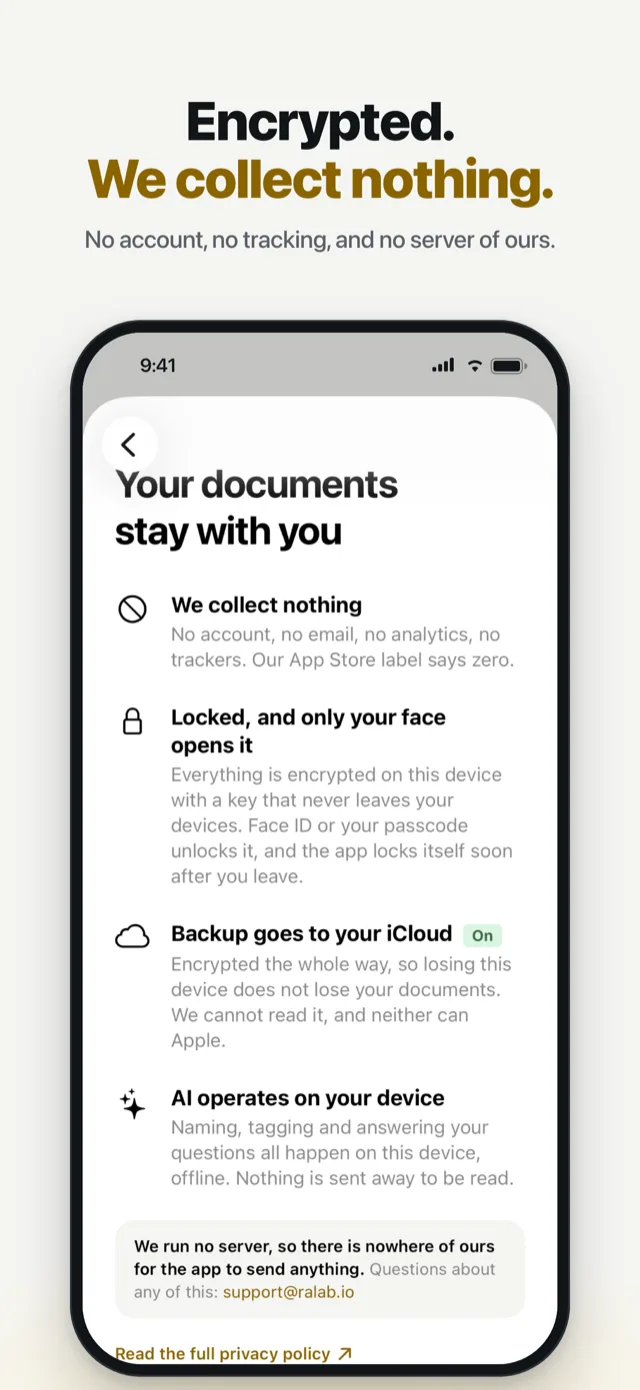
- Encrypted on your device. Face ID, Touch ID or your passcode opens it. It locks itself soon after you leave.
- AI on your device. Naming, tagging and answering happen on the device. Nothing is sent away to be read.
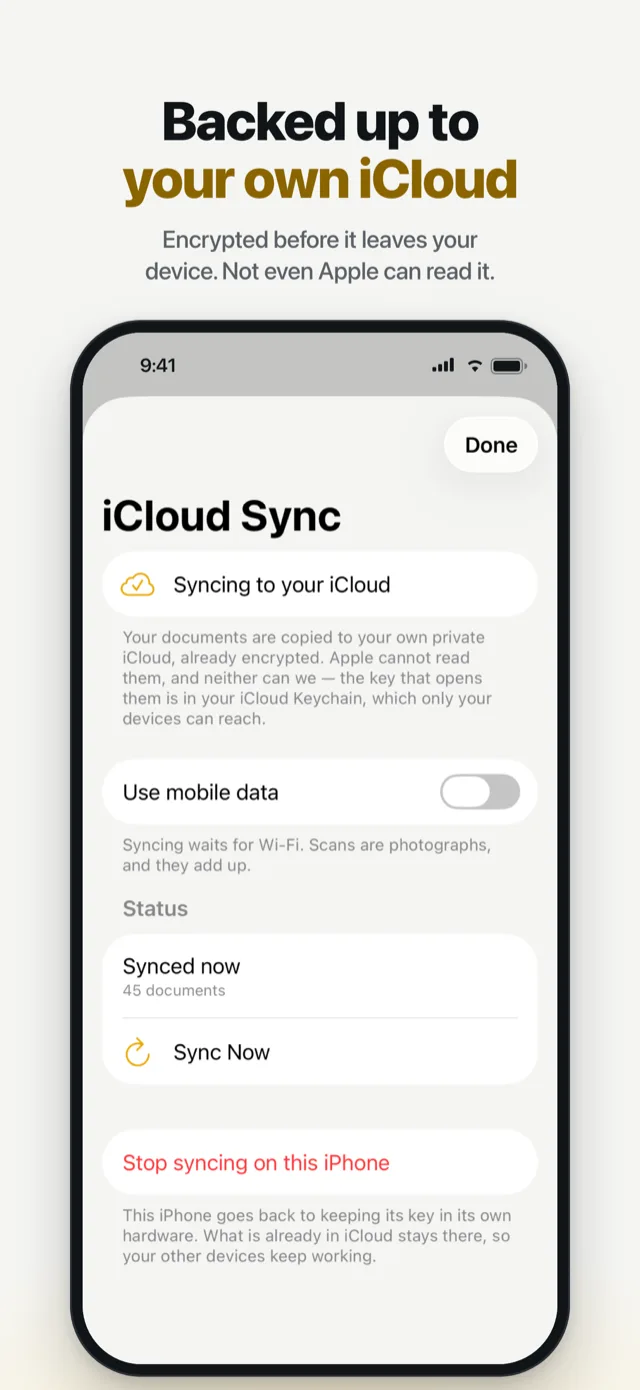
- Backup to your own iCloud. Encrypted before it leaves. Neither Apple nor we can read it. Turn it off any time.
- Nothing about you collected. No account, no email, no analytics, no trackers.
What it costs
Try every feature. Start for free.
- Three documents free. With every feature, and no time limit.
- No account needed. Open the app and add a document.
- A month free when you first subscribe. Then monthly or yearly, priced in your own currency on the App Store.
- Nothing is ever deleted. If a subscription ends, subscribe again or take every document out as one zip file.
Questions
Frequently asked.
What is Document Organiser?
An app for iPhone and iPad that keeps your important documents in one place — passports, IDs, cards, bills, policies and agreements. It names, tags and files them for you, finds any word inside them, reads out the details you need, and keeps it all encrypted on your device.
Does it use Apple Intelligence?
Yes, on an iPhone or iPad that has Apple Intelligence switched on. On other devices you can download the app’s own reader, about 1.4 GB, which runs offline. Without either, everything else still works: search, reading cards and IDs, names, hashtags and reminders.
Are my documents uploaded to a server?
No server of ours ever receives them. Reading and AI happen on your device. Backup goes to your own iCloud, encrypted before it leaves the device, and you can turn it off. The only thing the app ever downloads is the optional reader, and only when you ask for it.
Can I search inside PDFs and photos?
Yes. Every word on every page is searchable, including scans and photos of paper. A file the app cannot read, such as an archive, is still stored, named and shared back unchanged.
Can I ask a document a question?
Yes, with Apple Intelligence or the downloaded reader. Ask in your own words — when does this lease end? — and the answer shows the line it came from.
Which documents does it read the details from?
Passports and payment cards, and national IDs from India, the United States, the United Kingdom, Australia, New Zealand and South Africa. Anything else is stored, named, tagged and searchable, which is usually all it needs.
Does it remind me when something expires?
Yes. Expiring and expired documents are marked in the library, and one tap adds a reminder to your calendar.
Do I need an account?
No. There is no account, no login and no email address to give.
What happens if my subscription ends?
Nothing is deleted. The app locks, and offers two things: subscribe again, or download every document as one zip file.
Which devices does it run on?
iPhone and iPad, on iOS 17 or iPadOS 17 or later.
Give your documents a better home.
Free for your first three documents, then a month free when you first subscribe. No account needed.
For iPhone and iPad, on iOS 17 or later.